How to Schedule 30 Days of Social Media Content in Just 10 Minutes (2026 Guide)
Posting every single day on social media used to mean opening five different apps, scrambling for caption ideas at 8 a.m., and hoping something performs. In 2026, that workflow is officially obsolete.
With AI-powered scheduling tools like Schedly, you can sit down for ten minutes once a month and walk away with thirty days of content lined up across Instagram, Facebook, X, LinkedIn, TikTok, YouTube, Threads, and Telegram.
This guide breaks down exactly how to do it, the mindset shift it requires, and the specific steps that turn "content creation" from a daily grind into a monthly task you actually look forward to.
Why Most Creators Burn Out (and How Batching Fixes It)
The average solo creator or small business owner spends roughly 2 to 3 hours per day on social media tasks: writing captions, finding hashtags, designing visuals, posting at the right time, replying to comments.
That's 60 to 90 hours per month — almost a full work week — spent on activities that don't directly generate revenue.
Batching flips this equation. Instead of doing one post every day, you create thirty posts in one session, schedule them ahead of time, and reclaim those hours for actual business growth. The psychology behind it is simple: context-switching is expensive.
Research from the University of California, Irvine found that every time your brain shifts between tasks, you lose roughly 23 minutes of focus. Batching keeps you in one mode for a single concentrated burst.
The 10-Minute Workflow: Step by Step
Step 1 — Define Your 4 Content Pillars (1 minute)
Before you create anything, pick four themes your account will rotate between. For a fitness coach, that might be: client transformations, quick recipes, mindset tips, and workout demos. For a SaaS company: product tutorials, customer stories, industry insights, and behind-the-scenes. Four pillars give you enough variety to avoid looking repetitive, while staying focused enough that your audience knows what to expect.
Step 2 — Generate 30 Post Ideas with AI (2 minutes)
This is where AI changes the game. Modern AI assistants built into scheduling platforms can take your four pillars and output 30 unique post concepts in seconds. You're not asking for finished captions yet — just headlines and angles. Examples: "5 mistakes I made in my first year freelancing," "the exact email I send to land clients," "before vs. after: 90-day client transformation."
Review the list, kill the ideas that don't fit your brand voice, and you're left with a content map for the month.
Step 3 — Write Captions in Bulk with AI Assistance (3 minutes)
For each of your 30 ideas, generate a caption using an AI caption generator. The key is to feed it three pieces of information: the topic, your brand tone (friendly, professional, witty, etc.), and the platform. A LinkedIn caption needs longer-form storytelling; a TikTok caption needs a hook in the first five words; an Instagram caption can go either way.
A good AI tool like Schedly's AI Assistant will also suggest hashtags and emojis tuned to each platform's culture. Review each caption, tweak the parts that don't sound like you, and move on.
Step 4 — Generate or Source Visuals (2 minutes)
If your strategy includes original photography, you've already shot it. If you rely on graphics, AI image generators built into scheduling tools can produce on-brand images from a text prompt. For video content like Reels, TikToks, or YouTube Shorts, AI short-video generators can now turn a script into a finished clip in under a minute. Stock photo libraries inside scheduling platforms cover the rest.
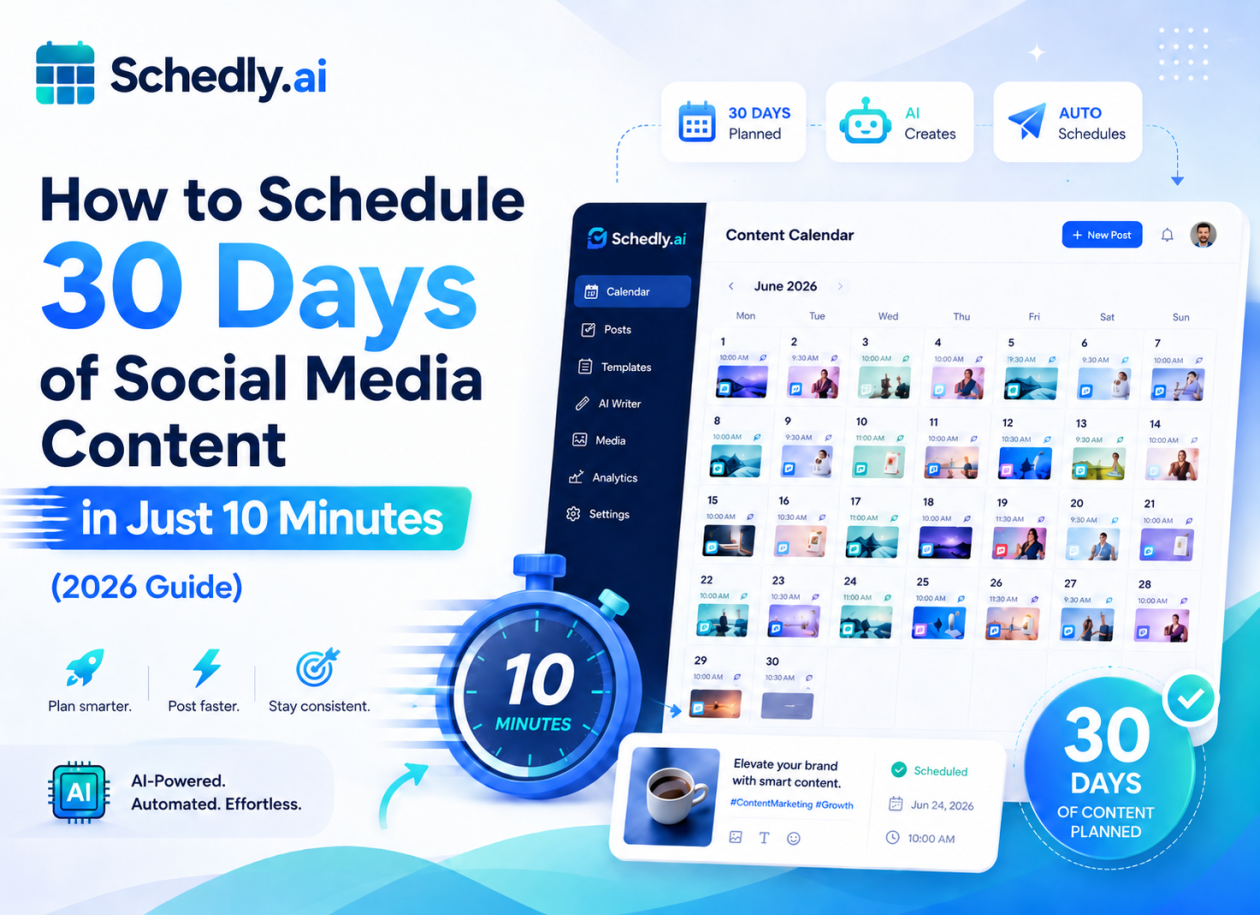
Step 5 — Schedule Everything in a Visual Calendar (2 minutes)
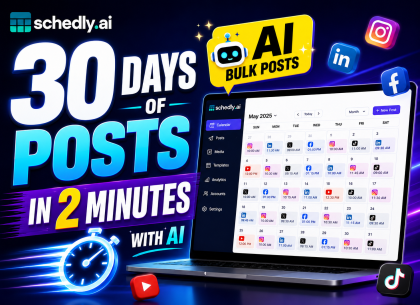
Drag and drop posts onto a monthly calendar view. Set your time zones, pick the best time slots based on your audience's active hours (most platforms now suggest these automatically), and assign each post to the right platform. One post can be auto-customized for every channel — square crop for Instagram, vertical for TikTok, horizontal for YouTube — without you doing the formatting work.
Hit save. You're done. If you want to see this in action, watch Schedly's quick demo showing exactly this workflow.
What Makes This Possible in 2026 (That Wasn't 2 Years Ago)
Three breakthroughs make the 10-minute workflow realistic today. First, multimodal AI can now generate captions, images, and video from a single prompt — no more bouncing between five tools. Second, smart scheduling algorithms analyze your historical performance and your followers' active hours to recommend posting times automatically.
Third, cross-platform publishing has matured: one post genuinely adapts to eight different networks without requiring manual reformatting.
According to Buffer's State of Social Engagement 2026 report, brands that schedule content in batches publish 3 to 5 times more frequently than brands that post manually, and consistency is now the single strongest predictor of audience growth.
Common Mistakes to Avoid When Batching
The biggest trap is producing thirty posts that all sound and look identical. AI is a great starting point, but if you don't inject your personality, your feed reads like a corporate brochure.
Always edit AI-generated captions. Add a personal anecdote, a question, or a strong opinion to at least every third post.
The second trap is scheduling without reviewing. Once your month is queued, glance at the calendar daily. If something timely happens — a trending sound, a news event, a product launch — pause the scheduled post and replace it with something current. Batching gives you the freedom to stay reactive, not the obligation to stay rigid.
How to Stay Consistent Long-Term
The best content batchers treat it like a monthly ritual. Same day each month, same coffee shop, same playlist. The repetition trains your brain to enter a creative flow state faster every time. Within three months, what felt like a chore becomes a 10-minute habit you barely notice.
Pair the batching session with a quick analytics review the day before. Spend five minutes looking at what performed best last month, double down on those formats, and feed that intel into your next planning round. Tools that include built-in PDF analytics reports (see Schedly's pricing plans for what's included at each tier) make this review take five minutes instead of fifty.
Final Thought
Scheduling 30 days of content in 10 minutes isn't a productivity hack — it's a fundamentally different way of working. You stop treating social media as a daily fire to put out and start treating it like the predictable, plannable channel it actually is. The hours you reclaim go back into the work that actually moves your business forward.
The tools to do this exist today. The only question is whether you're going to keep doing it the hard way or finally start a free 30-day trial and let the systems do the heavy lifting.
Share: