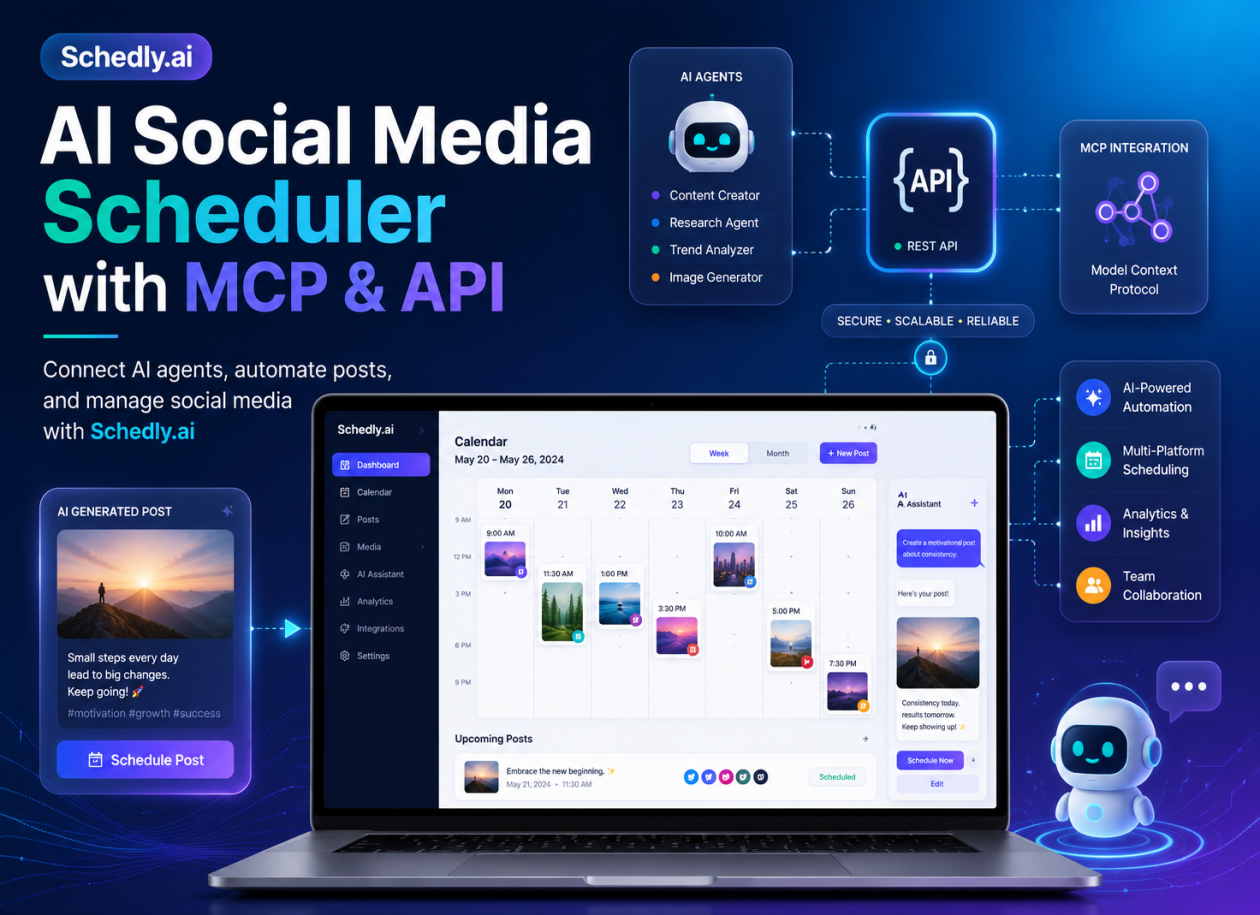
AI Social Media Scheduler with MCP & API
Automate Social Media Posts with Claude, Codex and AI Agents
Managing multiple social media accounts usually involves switching between dashboards, creating content manually, copying captions, uploading media, choosing publishing times, and checking whether every post was scheduled correctly.
Schedly.ai is changing that workflow with its new API and Model Context Protocol integration.
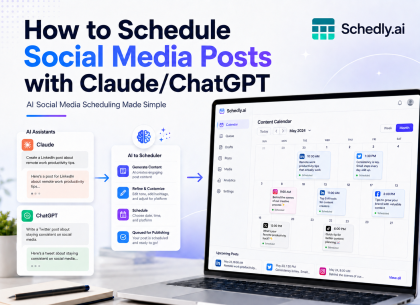
With Schedly API and MCP access, businesses, developers, agencies, and content creators can connect Schedly.ai with AI assistants and external applications. This makes it possible to create, schedule, retrieve, and manage social media content through tools such as Codex, Claude, ChatGPT-compatible AI agents, custom applications, and automated workflows.
Instead of manually navigating through multiple screens, users can give their AI assistant a natural-language instruction such as:
“Create a promotional post for our summer campaign and schedule it on Instagram and LinkedIn tomorrow at 6 PM.”
The AI agent can then communicate with Schedly.ai, identify the selected social accounts, create the content, and add it to the publishing schedule.
This introduces a faster and more flexible way to automate social media management.
What Is an AI Social Media Scheduler?
An AI social media scheduler combines social media publishing tools with artificial intelligence.
Traditional scheduling software allows users to prepare a post and choose when it should be published. An AI-powered scheduler can extend that workflow by helping users:
- • Generate captions and social media ideas
- • Adapt content for different platforms
- • Create posts from simple instructions
- • Select connected social media accounts
- • Schedule posts for future publication
- • Retrieve upcoming scheduled content
- • Build repeatable social media workflows
- • Connect external AI agents and applications
With Schedly.ai, users can already manage content across multiple social networks from one dashboard. The addition of API and MCP access means that content workflows no longer have to begin inside the Schedly interface.
They can now begin inside an AI assistant, custom application, internal business system, or automation platform.
What Is MCP?
MCP stands for Model Context Protocol.
It is an open standard that allows AI applications to connect with external tools, services, data sources, and workflows.
An AI model can generate text by itself, but it normally cannot take action inside another platform unless that platform provides a supported connection. MCP creates a standardized way for an AI assistant to discover and use available tools.
For example, an MCP server can give an AI assistant access to tools such as:
- • List connected social accounts
- • Create a social media post
- • Schedule a post
- • View upcoming scheduled posts
- • Retrieve publishing information
- • Update or cancel scheduled content
The Model Context Protocol allows servers to expose structured tools that language models can invoke to interact with external systems. This means an AI assistant can move beyond simply suggesting content and can perform approved actions through the connected platform.
MCP is not limited to one AI provider. It is increasingly being used as a common connection layer for AI applications, including Claude, Codex, ChatGPT-compatible systems, and custom AI agents.
What Is the Schedly Social Media Scheduling API?
The Schedly social media scheduling API allows external applications to communicate directly with Schedly.ai.
An API is particularly useful for developers, SaaS platforms, agencies, internal business systems, and companies that want to build their own social media workflows.
Through an API integration, an application can send structured requests to Schedly.ai. Depending on the available permissions and endpoints, the application can perform actions such as:
- • Retrieve connected social profiles
- • Create new posts
- • Schedule content
- • Access upcoming scheduled posts
- • Manage publishing workflows
- • Connect Schedly with internal applications
- • Build custom social media automation tools
Instead of developing and maintaining a separate integration for every social network, developers can use Schedly.ai as a centralized publishing layer.
This can significantly simplify the process of building applications that need social media scheduling functionality.
API vs. MCP: What Is the Difference?
Although API and MCP integrations are related, they serve slightly different purposes.
Schedly API
The API is designed for direct communication between software applications.
• A developer can use it to connect:
- • A custom SaaS application
- • An internal dashboard
- • A content management system
- • A CRM
- • A marketing automation platform
- • A WordPress plugin
- • A custom mobile or web application
The application sends a request to the Schedly API, and Schedly performs the requested action based on the user’s permissions.
Schedly MCP Integration
MCP is designed specifically to make Schedly tools understandable and accessible to AI agents.
Instead of requiring the AI agent to understand every technical API endpoint, the MCP server presents clear tools such as:
• list_social_accounts• create_post• schedule_post• get_scheduled_posts
The AI assistant can select the correct tool based on the user’s natural-language request.
In simple terms:
The API connects software to Schedly.ai.
MCP connects AI agents to Schedly.ai.
Both options provide powerful automation opportunities, and businesses can choose the connection method that best fits their workflow.
Connect Codex (ChatGPT) with Schedly.ai
Codex can use MCP servers to access external tools and context. This allows developers and technical teams to connect Codex with supported third-party services and let it perform structured actions.
After connecting Codex with Schedly.ai, a user could provide instructions such as:
“Schedule this product announcement on our Facebook Page, LinkedIn account, and Threads profile next Monday.”
Or:
“Show me all posts scheduled for the next seven days.”
Or:
“Create three variations of this announcement and schedule one version on each selected platform.”
Codex can interpret the request and use the available Schedly tools to complete the workflow.
This is particularly valuable for developers who already use Codex as part of their development or operational environment.
Connect Claude and Other AI Agents with Schedly.ai
The Schedly MCP integration can also support AI-agent workflows involving Claude and other MCP-compatible clients.
The process is straightforward:
- 1) Connect the required social media accounts to Schedly.ai.
- 2) Generate or obtain the required API or MCP credentials.
- 3) Add the Schedly MCP connection to the compatible AI client.
- 4) Give the AI agent instructions in natural language.
- 5) Review and confirm the requested action when necessary.
Once connected, the AI assistant can become part of the user’s social media workflow.
It can help prepare content, select accounts, schedule posts, retrieve upcoming content, and coordinate campaigns without requiring the user to repeatedly switch between different applications.
How to Automate Social Media Posts with AI
One of the strongest applications of Schedly API and MCP access is the ability to automate social media posts with AI.
Here is an example workflow for a business launching a new product.
Step 1: Provide the Campaign Information
The user gives an AI assistant the essential details:
- • Product name
- • Target audience
- • Key benefits
- • Launch date
- • Promotional offer
- • Preferred social networks
Step 2: Generate Platform-Specific Content
The AI assistant creates different versions of the announcement.
For example:
- • A professional version for LinkedIn
- • A shorter version for X
- • A conversational version for Threads
- • A visual-first caption for Instagram
- • A description suitable for Facebook
Step 3: Select Connected Accounts
The AI agent retrieves the social accounts connected to the user’s Schedly workspace.
The user can then specify which profiles should receive each post.
Step 4: Schedule the Campaign
The AI agent sends the approved content and publishing times to Schedly.ai.
Schedly stores the posts and publishes them according to the selected schedule.
Step 5: Review Upcoming Posts
The user can ask the AI assistant:
“Show me everything scheduled for the product launch.”
The agent retrieves the upcoming posts so the user can review the content and timeline.
This workflow turns the AI assistant into an operational marketing tool instead of using it only as a caption generator.
Benefits for Social Media Managers
Social media managers often handle multiple platforms, campaigns, brands, and publishing calendars.
Schedly API and MCP access can help them:
- • Reduce repetitive publishing tasks
- • Create content through natural-language instructions
- • Schedule posts without repeatedly opening multiple dashboards
- • Coordinate cross-platform campaigns
- • Retrieve scheduled content quickly
- • Build approval and review workflows
- • Maintain a more consistent publishing schedule
The objective is not necessarily to remove human review. It is to reduce the manual steps between an idea and a scheduled post.
A social media manager can remain in control of strategy, tone, approval, and brand consistency while allowing AI agents and automations to handle repetitive execution.
Benefits for Marketing Agencies
Agencies can use Schedly integrations to build more scalable client workflows.
For example, an agency could connect its internal content system with the Schedly API. Once a client approves a post, the system could automatically send it to the correct Schedly workspace and schedule it for publication.
An AI agent could also help the agency:
- • Generate draft campaigns
- • Adapt posts for different platforms
- • Organize publishing schedules
- • Retrieve upcoming client posts
- • Identify gaps in the content calendar
- • Prepare content for review
This can reduce the time spent moving content between documents, spreadsheets, approval tools, and scheduling dashboards.
Benefits for Developers and SaaS Platforms
Developers can use the Schedly social media API to add publishing capabilities to their own products.
Potential applications include:
- • AI content creation platforms
- • Marketing automation software
- • CRM systems
- • E-commerce applications
- • News and media platforms
- • Website builders
- • Content management systems
- • Industry-specific SaaS products
A platform that generates content could use Schedly.ai to schedule and distribute that content across supported social networks.
Instead of building separate publishing infrastructure for each social platform, the developer can integrate with a centralized scheduling system.
Example Commands for Your AI Agent
After connecting an AI agent with Schedly.ai, users may be able to give instructions such as:
“Create an Instagram and Facebook post promoting our 20% weekend discount and schedule both posts for Friday at 5 PM.”
“Turn this blog article into five social media posts and schedule them throughout next week.”
“List all scheduled LinkedIn posts for this month.”
“Create a professional LinkedIn announcement from these release notes.”
“Prepare one version for Instagram, one for Threads, and one for X.”
“Schedule this video on TikTok, Instagram, and YouTube.”
“Show me which connected social accounts are available.”
These examples demonstrate the difference between ordinary content generation and agent-powered social media management.
The AI does not merely return text for the user to copy. It can connect the generated content with a real publishing workflow.
Build Custom Social Media Automations
The Schedly API also makes it possible to build rule-based and event-driven automations.
For example:
- • Schedule a social post when a new blog article is published
- • Announce a new product when it is added to an online store
- • Publish release notes after a software update
- • Add approved content from an internal dashboard to the social calendar
- • Create posts from CRM events
- • Connect an AI content generator with a multi-platform publishing workflow
- • Automatically prepare drafts from newsletters or articles
These workflows can help organizations publish content more consistently while reducing manual data entry.
A New Way to Manage Social Media
AI assistants are evolving from tools that only answer questions into agents that can interact with external applications and complete real tasks.
MCP plays an important role in that transition because it gives AI applications a standardized way to discover and use tools. The growth of social media MCP servers and agent-ready scheduling APIs shows increasing market interest in managing content directly through AI workflows.
With its new API and MCP access, Schedly.ai provides the connection between AI-generated content and multi-platform social media scheduling.
Users can continue managing posts through the Schedly dashboard while also gaining the flexibility to connect AI agents, internal systems, and custom applications.
Whether you are a content creator looking to save time, an agency managing multiple clients, or a developer building an AI-powered application, Schedly.ai gives you the infrastructure to turn content ideas into scheduled social media posts.
Start Automating Your Social Media with Schedly.ai
Stop copying content between AI tools and social media dashboards.
Connect your favorite AI assistant or application with Schedly.ai and create a faster, more intelligent social media workflow.
With Schedly API and AI Agent Access through MCP, you can create posts, schedule content, retrieve upcoming publications, and manage your connected social accounts from the tools you already use.
Start today and discover a smarter way to automate social media publishing.
Share: